Let AI Agents
Safely Generate UI
A2UI is an open declarative UI protocol that enables AI agents to safely render rich interactive interfaces across platforms without executing arbitrary code.
Four Core Features
Built for AI-era UI interactions, solving secure rendering across trust boundaries
Security First
Security by Design
Uses declarative data format, not executable code. Agents can only use pre-approved components, eliminating UI injection attack risks at the architecture level.
LLM Friendly
LLM-Friendly Format
Flat JSON structure optimized for LLM token-by-token generation. Adjacency list model supports efficient parsing and incremental updates.
Framework Agnostic
Framework Agnostic
The same A2UI response can be rendered on React, Angular, Flutter, or native mobile platforms using each platform's native components.
Progressive Rendering
Progressive Rendering
Supports streaming UI updates, users see the interface build progressively in real-time. Instant response, natural experience.
How It Works
A2UI enables secure communication between AI Agents and clients through a declarative protocol
User Sends Message
User sends a request to the AI Agent, e.g., "Find nearby restaurants"
Agent Generates A2UI
AI Agent generates an A2UI message describing the UI (JSON format component tree)
Streaming
Message streams to client, supporting render while generating
Local Rendering
Client renders UI using native components (React/Flutter/Angular)
User Interaction
User interacts with UI, events sent back to Agent
Response Update
Agent responds with new A2UI message, UI updates dynamically
Architecture Overview
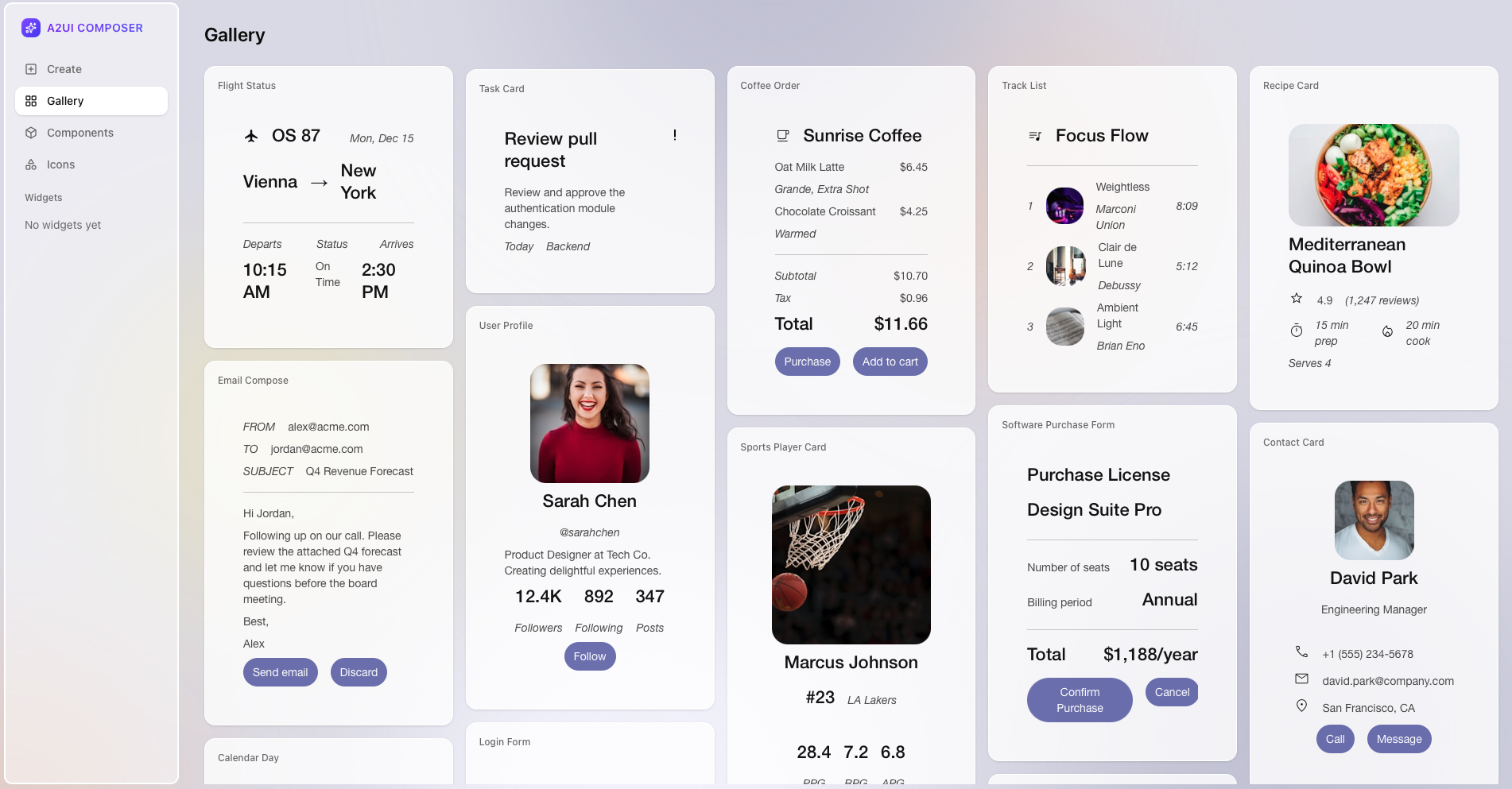
Try A2UI Composer
Build and test A2UI interfaces directly in your browser with visual tools,
drag & drop components, live preview, export JSON with one click
Powered by CopilotKit
Visual Builder
Drag & drop components to quickly build UI, WYSIWYG
Live Preview
Instant rendering preview, millisecond response
Export JSON
One-click export to standard A2UI format
Code Examples
One A2UI response, native rendering on multiple platforms
1{2 "type": "surface",3 "surface_id": "main_content",4 "components": [5 {6 "id": "card_1",7 "type": "card",8 "props": {9 "title": "Italian Restaurant",10 "subtitle": "0.5 km away",11 "image": "https://..."12 },13 "children": ["rating_1", "btn_1"]14 },15 {16 "id": "rating_1",17 "type": "rating",18 "props": { "value": 4.5, "count": 128 }19 },20 {21 "id": "btn_1",22 "type": "button",23 "props": {24 "label": "View Details",25 "action": "view_restaurant"26 }27 }28 ]29}Supported frameworks and platforms
Empowering Every Role
Whatever your role, A2UI helps you build better AI-powered products
Developer
- Clear SDK and protocol specifications
- Not tied to any specific framework
- Custom component support
- Native streaming output support
- TypeScript type safety
Product Manager
- Declarative architecture, secure & compliant
- Define once, render everywhere
- Streaming render, instant response
- Google-backed, trustworthy
- Open source community, continuous iteration
- Lower AI product development barriers
Designer
- Use native components, maintain design consistency
- Cross-platform native experience
- AI generates context-aware UI
- Visual Composer tool
- Custom styling support
Developer Resources
From docs to examples, get started with A2UI quickly
Quick Start
Get started with A2UI in 5 minutes, run your first example
Core Concepts
Learn about Surface, Component, Data Binding and other core concepts
Developer Guide
Integrate A2UI into your app, or build an AI Agent
Protocol Specs
Complete technical specifications and message type reference
Example Demos
Experience A2UI in action
A2UI is open source, contributions welcome
View on GitHubApache 2.0